Record every League game automatically
Sits in your Windows tray, records full matches and key clips on your GPU, and maps every play on a timeline for review.
- Free
- Open source
- Public beta
- Windows 10 and 11 (64-bit)
- Local MP4s, no account
Features
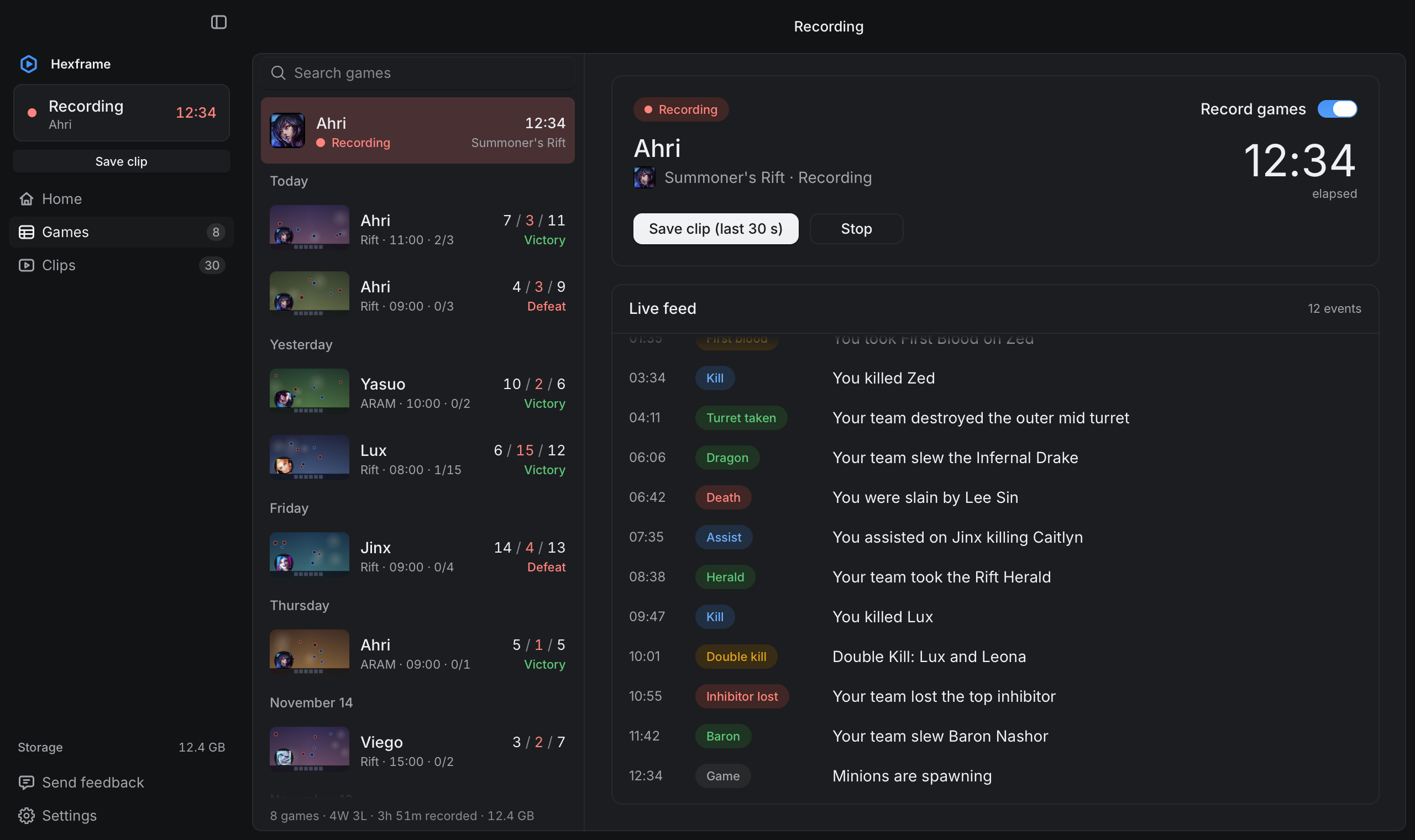
Automatic game detection
Starts with Windows if you want, sits in the tray, and records each match automatically. Flip the "Record games" switch whenever you want to pause.
Hardware GPU encoding
Encodes H.264 video on your graphics card instead of your CPU. Choose Balanced, High, or Max quality at 30 or 60 fps, with size estimates in Settings.
Auto clips and manual saves
Saves short clips around kills, deaths, multikills, first blood, aces, towers, inhibitors, dragons, heralds, barons, and void grubs. Also supports manually saving the last 30 seconds.
Game audio only
Records only League's own audio. Discord and your microphone stay out of your videos. Show or hide the mouse cursor to analyze your movement.
Match library
Browse games by champion icon, Victory or Defeat, KDA, duration, clips, and size. Filter your recordings, or delete old ones to the Recycle Bin.
Local files, no account
Recordings stay on your PC as normal MP4s with a small JSON file beside them. No account and no uploads. Nothing is sent unless you press Send feedback. Installs from one .exe without admin rights.
How it works
- 01
Install and queue up.
Run the single .exe to install Greyscreen in your user folder without admin rights. It sits in the tray and waits for League.
- 02
Play normally.
When a game starts, Greyscreen records the game window on your GPU, captures League's audio, and logs match events automatically.
- 03
Review and clip.
Open the library after your match to jump to any kill, death, or objective on the timeline, or grab the clips already saved for you.
Built for reviewing
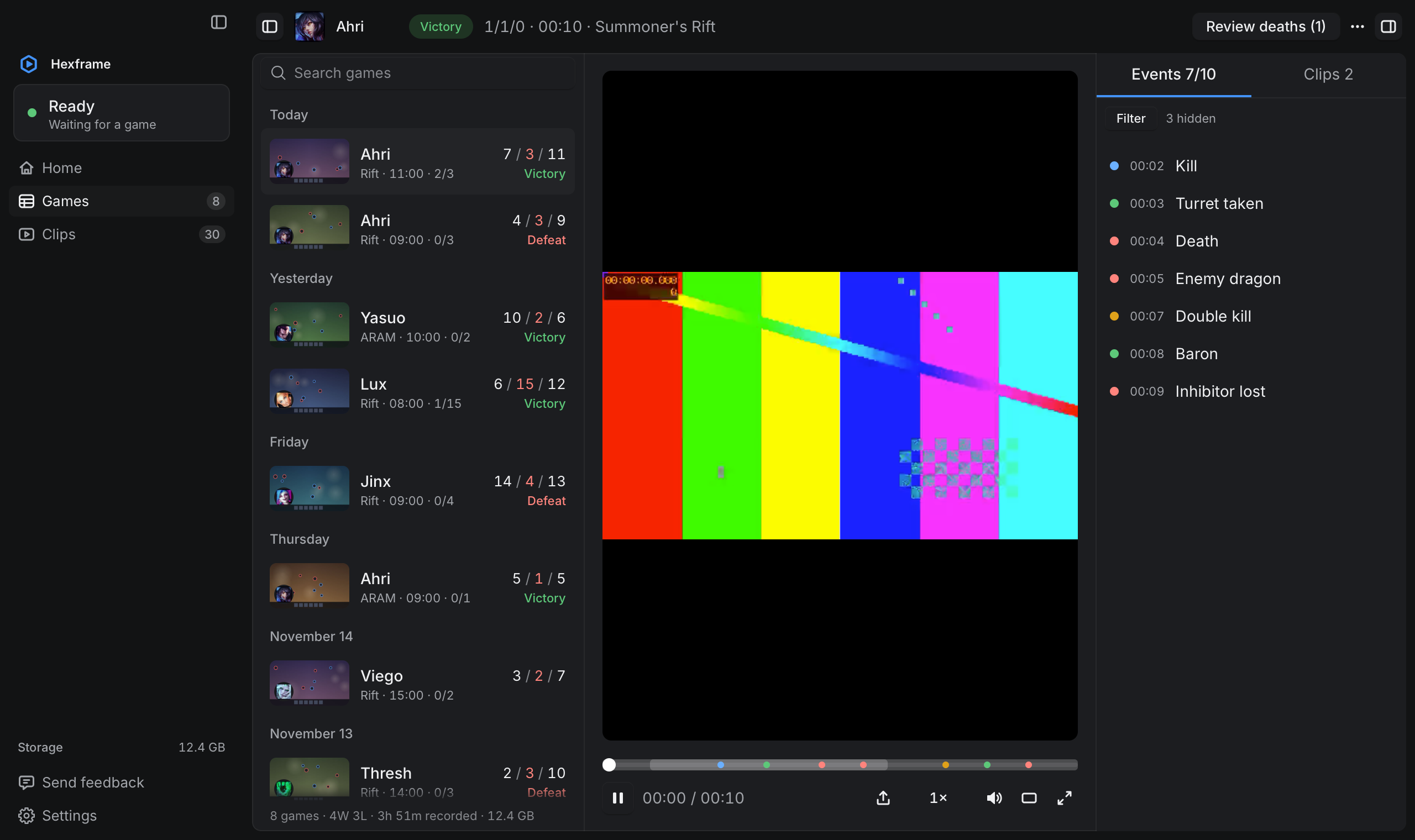
Scrubbing through a full match to find one fight wastes time. Greyscreen pairs your video with an event timeline so you can go straight to the plays you want to check.
Color-coded markers
Hover a marker to see who killed whom, which tower fell, or every kill of a pentakill.
Event filters and pre-roll
Filter to deaths, kills, or objectives, and jump to 5 seconds before any event.
Fullscreen theater mode
Watch fullscreen while keeping the event timeline on screen.
Playback speed
Adjust playback speed to inspect close fights.
Stays out of the game
Official Riot local API
Events come from Riot's Live Client Data API, which League serves on your own PC. Video uses Windows' standard capture of the game window.
No memory reading or injection
Greyscreen does not read game memory, inject into the game, or change game files.
Local files only
Recordings stay on your PC as an MP4 with a small JSON file next to it. No account, no uploads. Nothing is sent unless you press Send feedback.